
Prise en charge intégrale
Dépannage et réparation HP DesignJet 1050C, 1050C+ et 1055CM
à Lyon et en Rhône-Alpes
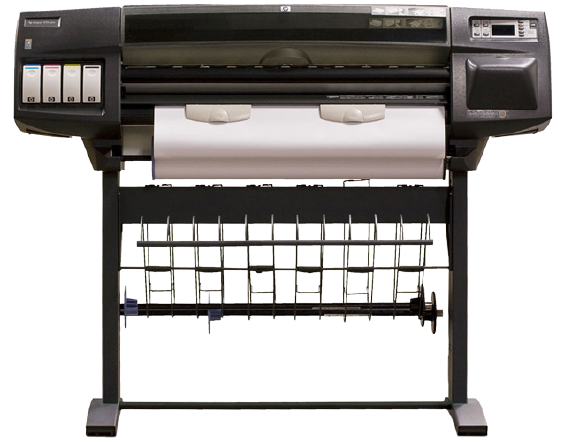
Spécialistes HP DesignJet depuis 1994.
Nous prenons en charge votre HP DesignJet 1050C, 1050C+ et 1055CM de A à Z.
30 années d'expertise
Spécialiste HP DesignJet depuis 1994
Un technicien, pas un standard
Vous parlez directement à un expert
Devis en 2 heures
Intervention sur site en 48 h
Rhône-Alpes
Lyon, Grenoble, Annecy, Chambéry…
VOTRE TRACEUR 1050C, 1050C+ et 1055CM EST EN PANNE ?
Dépannage et réparation du HP DesignJet 1050C, 1050C+ et 1055CM sur site
Basés à Lyon, nous sommes idéalement situés pour dépanner et réparer votre HP DesignJet 1050C, 1050C+ et 1055CM dans toute la région Rhône-Alpes.
Avec plus de 30 années d'expérience, nous dépannons et réparons tous les modèles HP DesignJet, des versions les plus anciennes aux dernières générations.
Chez nous, les modèles que d'autres services déclarent obsolètes ou irréparables restent réparables encore longtemps. Et si la réparation échoue, l'intervention ne vous est pas facturée.
Ce que comprend notre intervention sur votre HP DesignJet 1050C, 1050C+ et 1055CM
- Diagnostic gratuit par téléphone
- Devis de dépannage précis en 2 heures
- Dépannage en Rhône-Alpes en 48 heures
- Réparation de toutes les pannes
- Tarifs raisonnables et transparents
- Toutes les pièces détachées en stock
- Toutes nos interventions garanties 1 an sur site
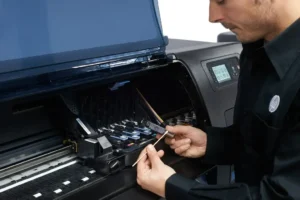
Chaque dépannage réalisé sur votre HP DesignJet 1050C, 1050C+ et 1055CM est couvert par une garantie 1 an sur site : si la panne réparée se reproduit dans l'année, nous revenons chez vous sans frais, pièce et main-d'œuvre comprises.
Remplacement de la courroie + révision complète : À partir de 360 € HT
Votre traceur HP DesignJet 1050C, 1050C+ et 1055CM affiche un code erreur 86:01 ou la courroie est déchirée ?
Notre technicien intervient sur site pour remplacer la courroie dans les règles de l'art. Le remplacement inclut le nettoyage interne complet du traceur — pas question de poser une courroie neuve dans un appareil encrassé.
Une fois la courroie remplacée, notre technicien teste la qualité d'impression, nettoie les têtes d'impression et optimise les réglages. Au départ du technicien, votre HP DesignJet 1050C, 1050C+ et 1055CM aura droit à une seconde jeunesse.
Avant d'engager une réparation lourde, il vaut la peine de se demander si elle en vaut encore la peine : notre page réparer ou remplacer son traceur donne les cinq critères que nous passons en revue au téléphone. Et si le remplacement s'impose, nous rachetons votre HP DesignJet 1050C, 1050C+ et 1055CM, en état de marche ou non.
VOUS AVEZ BESOIN DE CARTOUCHES D'ENCRE ?
Nous avons en stock toutes les cartouches pour HP DesignJet 1050C, 1050C+ et 1055CM
- Stock important et permanent
- Livraison en 24h à Lyon — 48h France entière
- Cartouches originales HP uniquement
- Têtes d'impression également disponibles
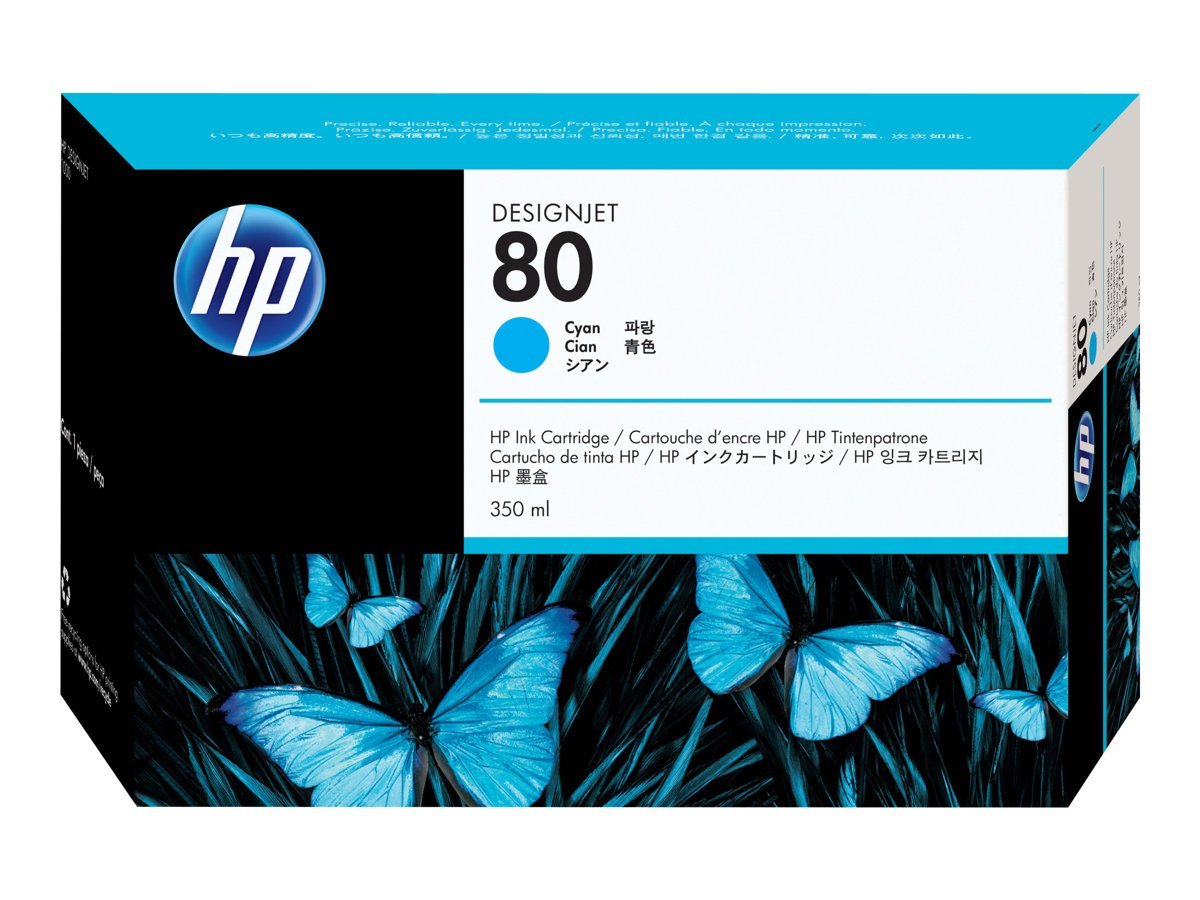
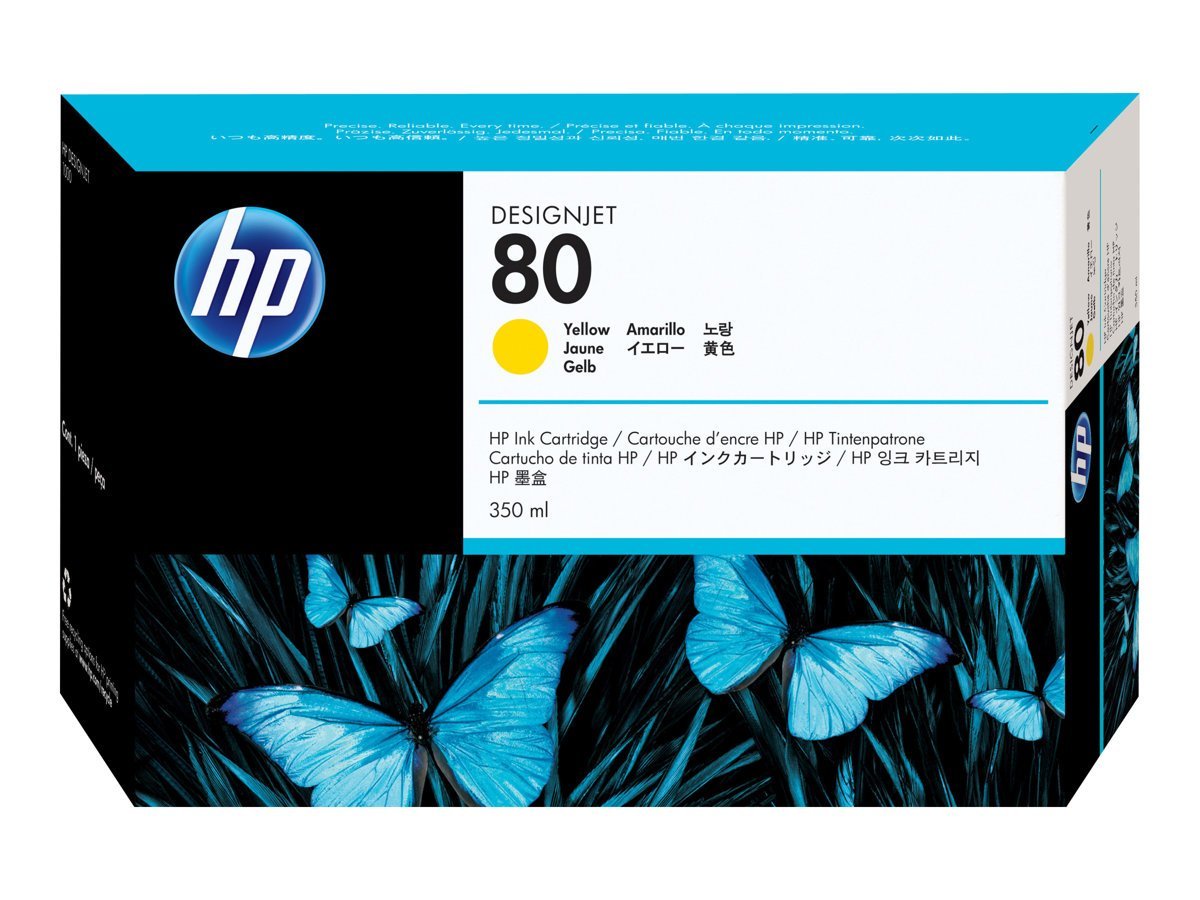
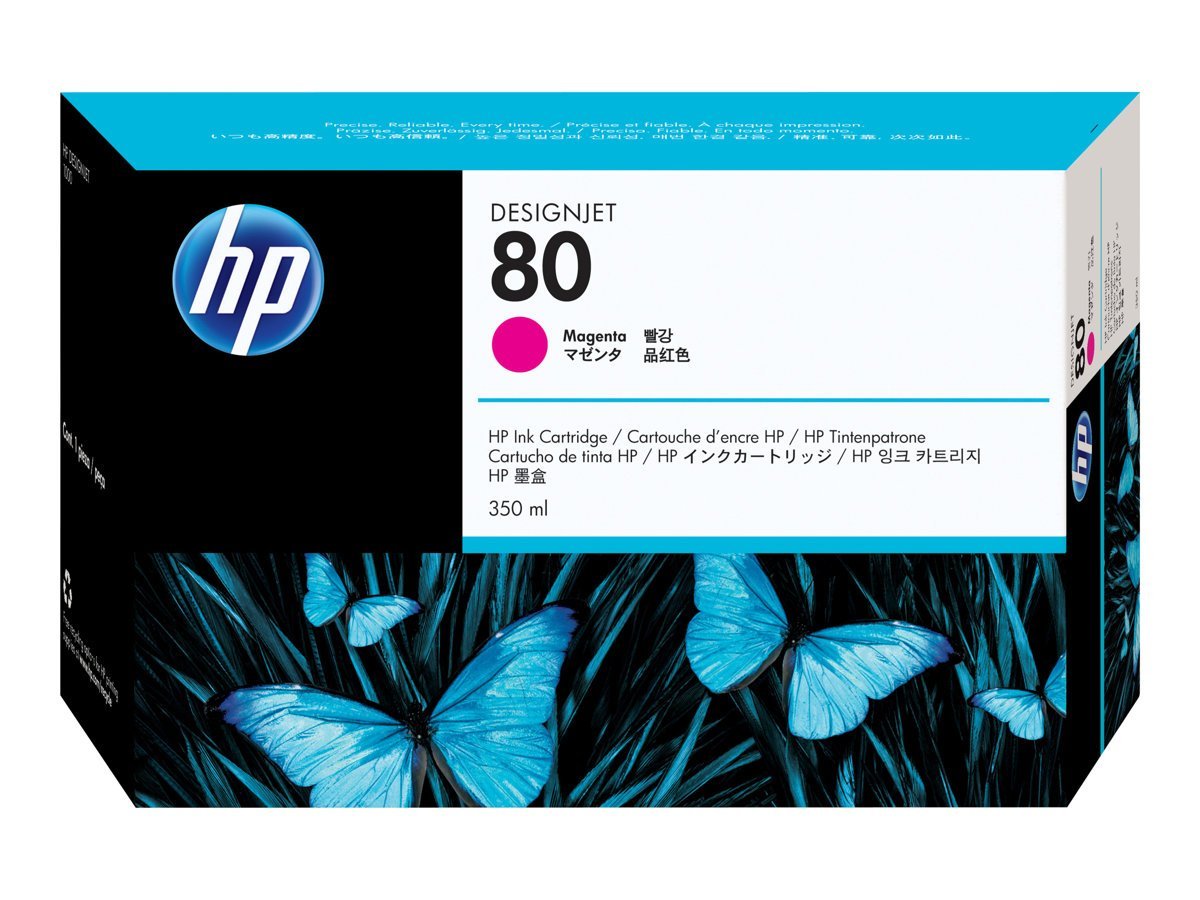
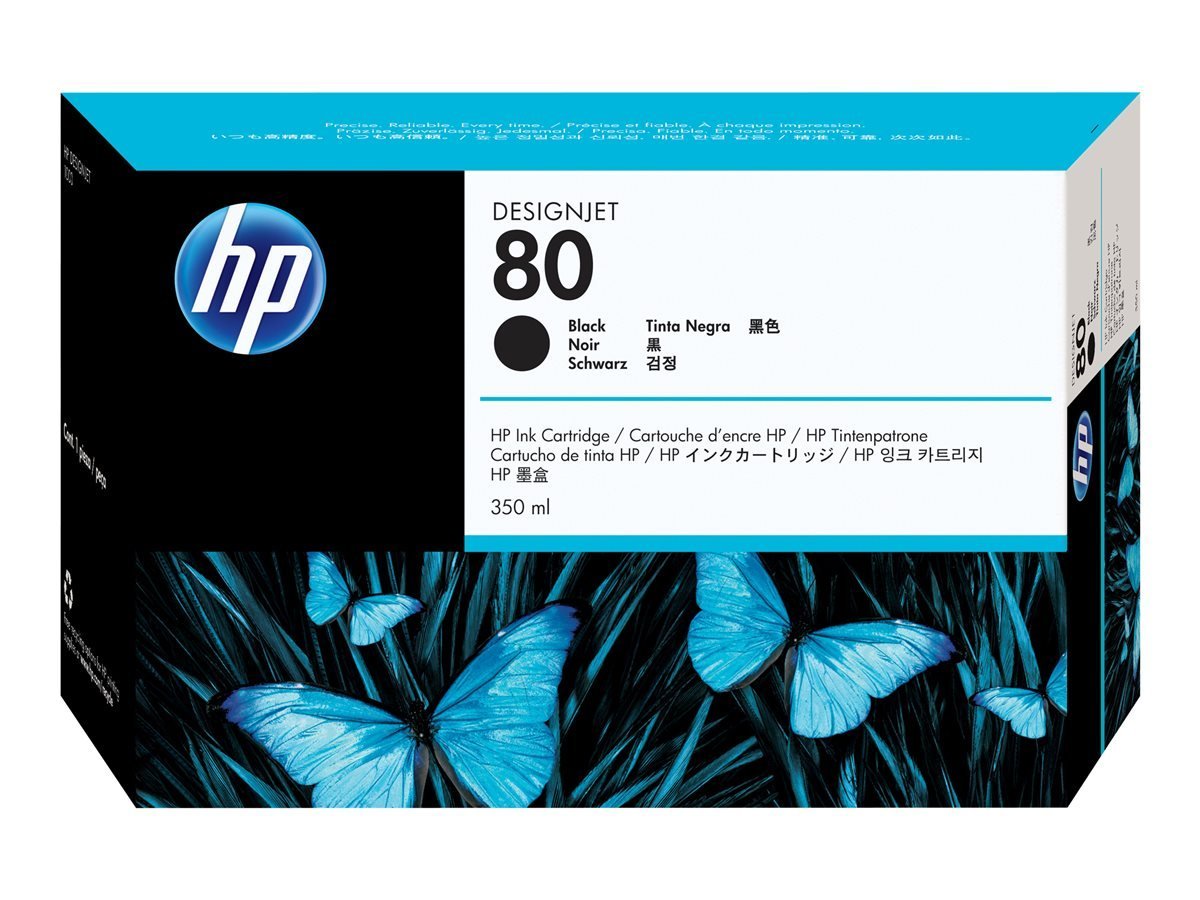
Faites défiler dans le cadre pour voir toutes les cartouches correspondant à votre modèle.
RESSOURCES TECHNIQUES
Tout ce dont vous avez besoin sur le HP DesignJet 1050C, 1050C+ et 1055CM
Toutes nos ressources et nos 30 années d'expérience à votre disposition.
Pilotes d'impression, utilitaire d'impression PDF, codes erreur, pannes fréquentes, nomenclature des pièces détachées
Tous les codes erreur
Traduction française par IA — en cas de doute sur une procédure, vérifiez le texte anglais d'origine (bouton EN).
Aucun résultat — contactez-nous
-
0000D8
+External Library Error.
Solution :
Power the Printer OFF and ON again to see if the System Error disappears. If the Error Code reappears, then report the error to the HP response Center or the nearest HP Support Office, stating the following information.
-
010020
+Firmware DIMM Test failure.
Solution :
•Switch the Power OFF from the back of the Printer and disconnect the Power cord. Reseat the Firmware DIMM, reconnect the power cord and power On the Printer. •If the Error Code appears again, switch the Power OFF from the back of the Printer, disconnect the power cord and Replace the Firmware DIMM. Reconnect the power cord and power On the Printer and check if the Error Code has been resolved. •If the System Error continues, replace the Electronics Module.
-
010021
+Memory DRAM DIMM Test failure.
Solution :
•Switch the Power OFF from the back of the Printer and disconnect the Power cord. Reseat the DRAM DIMMs (Memory Modules), reconnect the power cord and power On the Printer. •If the Error Code appears again, switch the Power OFF, disconnect the power cord and Replace the Flash DIMMs (Memory Modules). Reconnect the power cord and power On the Printer and check if the Error Code has been resolved. •If the Error Code continues, replace the Electronics Module.
-
010023
+EEROM Test failure.
Solution :
•Clear the EEROM and turn the Printer OFF and ON again from the back of the Printer. If after clearing the EEROM, the Error Code disappears, make sure you perform the Calibrations Backup . •If the Error Code continues, replace the Electronics Module.
-
01002D
+The Main PCA cannot communicate with the Carriage.
Solution :
Perform the Electronic Systems Test.
-
010040
+Error in Paper-axis Encoder quadrature.
Solution :
•Check that the Paper-Axis Motor cable is NOT broken or damaged. •Check that the Paper-Axis Motor cable is correctly connected.• Replace the Paper-Axis Motor .• If the Error Code continues, replace the Electronics Module
-
010041
+Error in Scan-axis Encoder quadrature.
Solution :
• Check that the Encoder Strip is NOT broken or damaged.• Replace the Encoder Strip .• Replace the Carriage Assembly .• If the Error Code continues, replace the Electronics Module
-
010042
+Error in Service Station-axis Encoder quadrature.
Solution :
• Check that the Service Station Encoder-Cable is NOT broken or damaged.• Check that the Service Station Encoder-Cable is correctly connected.• Replace the Service Station .• If the Error Code continues, replace the Electronics Module
-
010050
+PostScript Processing Error.
Solution :
• Model and Serial Number of the printer.• Which firmware revision the printer is using (See Note below). Check firmware in Utilities / Statistics / Code rev.• The complete error number (See Note below).• The Service Configuration Print.• The Current configuration sheet.• Which software application the customer is using (name, version, etc.).
-
01009X
+Error in Paper-axis Motor Encoder
Solution :
• Check that the Paper-Axis Motor cable is NOT broken or damaged.• Check that the Paper-Axis Motor cable is correctly connected.• Replace the Paper-Axis Motor.• If the Error Code continues, replace the Electronics Module
-
02xxxx
+PostScript/Firmware Error.
Solution :
Power the Printer OFF and ON again to see if the System Error disappears. If the Error Code reappears, then report the error to the HP response Center or the nearest HP Support Office, stating the following information.
-
048xxx
+The EIO card is from a third party vendor and may not be fully compliant with the IIO Protocol specification 2.0 OR the EIO Card firmware is not updated.
Solution :
• Check with the third party vendor. If the EIO card is not compliant with the IIO Protocol specification 2. then you must install a new EIO card which is compliant.• Update the EIO Card firmware.
-
04Cxxx
+EIO Accessories (EIO Card/Hard Disk Drive) Error.
Solution :
• Press ENTER and switch the printer OFF. Remove the Hard Disk Drive (if installed) and make sure that the EIO card is installed correctly by pushing it firmly inwards and checking that the two installation screws are completely tightened. Switch the printer ON again. If this error code continues to appear then replace the EIO card.• If this Error Code disappeared after removing the Hard Disk Drive, then switch the Printer OFF and reinstall the Hard Disk Drive, making sure that the two instal
-
060301
+One of the Printheads has an Internal Electrical Problem.
Solution :
• Remove all the Printheads and clean the flex contacts on the Printheads and in the Carriage Assembly (Refer to Chapter 2).• Perform the Electronic Systems Test.• Make sure that the Trailing Cable is connected correctly.• Replace the Trailing Cable.• Replace the Carriage Assembly.• If the error code continues, replace the Electronics Module
-
060305
+Thermal Shutdown error (one of the Printheads has gone above the maximum Temperature). 00000000 - Cyan Printhead Failed. 00000001 - Magenta Printhead Failed. 00000002 - Yellow Printhead Failed. 00000003 - Black Printhead Failed.
Solution :
• Replace the failing Printhead.• If the problem remains after replacing the failing Printhead then check if the customer is using a 3rd Party RIP. If a 3rd Party RIP is being used, check the Print Settings in the RIP or try printing one of the Internal Demo Prints to see if the problem is solved without the RIP.
-
060309
+Problem with setting the Voltage of the Printheads.
Solution :
• Remove ALL the Printheads and clean the flex contacts on the Printheads and in the Carriage Assembly (Refer to Chapter 2).• Perform the Electronic Systems Test.• Replace ALL the Printheads.• Replace the Trailing Cable.• Replace the Carriage Assembly.• If the Error Code continues, replace the Electronics Module
-
06030A
+Error in finding the Mark Encoder.
Solution :
• Clean the Mark Encoder if necessary (use the Overdrive Cleaning Utility to position the Mark Encoder).• Clean the Line Sensor (located on the Carriage Assembly).• Perform the Line Sensor Calibration.• Perform the Mark Encoder Calibration.• Replace the Trailing Cable.• Replace the Carriage Assembly.• If the Error Code continues, replace the Electronics Module
-
06030B
+The Ambient Temperature measured is out of the normal range.
Solution :
• Make sure that the Ambient temperature is within the allowed range (between and 55 Degrees Centigrade).• Replace the Electronics Module.
-
070100
+Firmware Error.
Solution :
• Model and Serial Number of the printer.• Which firmware revision the printer is using (See Note below). Check firmware in Utilities / Statistics / Code rev.• The complete error number (See Note below).• The Service Configuration Print.• The Current configuration sheet.• Which software application the customer is using (name, version, etc.).
-
080001
+PostScript Error.
Solution :
Power the Printer OFF and ON again to see if the System Error disappears. If the Error Code reappears, then report the error to the HP response Center or the nearest HP Support Office, stating the following information.
-
09xxxx
+EIO Accessories (EIO Card/Hard Disk Drive) Error.
Solution :
• Switch the Printer OFF and ON again and wait for the initialization.• If the Error code continues to appear, switch the Printer OFF. Remove the EIO Card (if installed) and make sure that the Hard Disk Drive is installed correctly by pushing it firmly inwards and checking that the two installation screws are completely tightened. Switch the Printer ON again. If the error codes 9Axxx or 9Bxxx appear then replace the Hard Disk Drive.• If the Error Code disappeared after removing the EIO Card
-
0A0000
+The Air Pressure is below the minimum requirement.
Solution :
n Check all the cables of the APS and make sure they are correctly connected and are NOT damaged. n Check all the tubes of the APS and Tubes System and make sure they are correctly connected and are NOT pinched or damaged. n Check that the Air Tube from the APS is correctly connected to the Tubes System. n Faulty APS Sensor, APS Valve or APS Pump. Replace the complete APS. n Replace ONE Ink Cartridge at a time, checking if the error code disappears.
-
0A0010
+Problem in Pressurizing the Air System.
Solution :
• Replace ONE Ink Cartridge at a time, checking if the error code disappears.• Check all the cables of the APS and make sure they are correctly connected and are NOT damaged.• Check all the tubes of the APS and Tubes System and make sure they are correctly connected and are NOT pinched or damaged.• Faulty APS Sensor, APS Valve or APS Pump. Replace the complete APS.
-
0A0020
+Error in Calibrating the APS Sensor.
Solution :
• Check all the cables of the APS and make sure they are correctly connected and are NOT damaged.• Check all the tubes of the APS and Tubes System and make sure they are correctly connected and are NOT pinched or damaged.• Faulty APS Sensor or APS Valve. Replace the complete APS
-
0A0030
+Problem in Depressurizing Air System.
Solution :
• Check the APS for any signs of Ink. Also inspect ALL Ink Cartridges for any signs of leaking (the bottom valve of the Ink Cartridge will contain ink).• If there is Ink Leakage, replace ALL Ink Cartridges, the APS (
-
0A0040
+Ink Tubes Initialization Failure Due to Low Air Pressure.
Solution :
• Check all the cables of the APS and make sure they are correctly connected and are NOT damaged.• Check all the tubes of the APS and Tubes System and make sure they are correctly connected and are NOT pinched or damaged.• Replace ONE Ink Cartridge at a time, checking if the error code disappears.• Faulty APS Sensor or APS Pump. Replace the complete APS
-
0A0050
+The Printer has detected a leak in the Tubes System before the life of the System.
Solution :
• The leak detector could have been triggered due to condensation in the Printer. Power OFF the Printer and allow the Printer to dry for 15 minutes. Power ON the Printer and check if the error code has disappeared.• If the Error Code reappears, replace the complete Tubes System (SRK).
-
0A0060
+The Printer has detected a leak in the Tubes System after the life of the System.
Solution :
• The leak detector could have been triggered due to condensation in the Printer. Power OFF the Printer and allow the Printer to dry for 15 minutes. Power ON the Printer and check if the error code has disappeared.• If the error code reappears, replace the complete Tubes System (SRK).
-
0A0070
+The Backup EEROM contents stored in the Tubes System are not consistent with the ones required by the firmware.
Solution :
• Perform the Calibrations Backup.
-
0B0000
+Bad Ambient Temperature measured.
Solution :
• Make sure that the Ambient temperature is within the allowed range (between and 55 Degrees Centigrade).• Replace the Electronics Module.
-
0B0001
+Bad Humidity read.
Solution :
Replace the Electronics Module
-
0B0002
+Bad IDS pressure read.
Solution :
• Check that the cable from the Ink Supply Station (ISS) PCA to the Ink Supply Station is correctly connected.• Check that the Air Pressurization System Sensor Cable is correctly connected and is NOT damaged.• Check all the tubes of the APS and make sure they are NOT pinched or damaged.• Faulty APS Sensor. Replace the complete APS.• If the error code continues, replace the Electronics Module
-
0B0003
+ADC0 Internal channels check Failure.
Solution :
Replace the Electronics Module
-
0B0004
+Unable to detect Pump.
Solution :
• Check that the cable from the Ink Supply Station (ISS) PCA to the Ink Supply Station is correctly connected.• Faulty APS Pump. Replace the complete APS.• If the error code continues, replace the Electronics Module
-
0B0005
+Unable to detect Valve.
Solution :
• Check that the cable from the Ink Supply Station (ISS) PCA to the Ink Supply Station is correctly connected.• Faulty APS Valve. Replace the complete APS.• If the error code continues, replace the Electronics Module
-
0B0006
+The Trailing Cable has been incorrectly connected OR the fuse in the Electronics Module has been burned.
Solution :
Turn the Printer OFF and disconnect the trailing cable. Check that the ends of the Trailing Cable are flat and are not damaged or bent. Reconnect the Trailing Cable correctly, making sure it is pushed in firmly (Refer to the instructions on Page 8-39). Power ON the Printer and check if the Error Code disappears. If the Error Code continues, replace the Electronics Module (Refer to the instructions on Page 8-25), making sure you take care when you reconnect the Trailing Cable.
-
0B0007
+Unable to detect Vacuum Fan.
Solution :
• Make sure that the Vacuum Fan is connected correctly to the Electronics Module.• Turn the Printer OFF and disconnect the Vacuum Fan from the Electronics Module. Connect a New Vacuum Fan to the Electronics Module and power ON the Printer. If the New Vacuum Fan functions correctly without any Error Codes then remove the Old Vacuum Fan from the Printer and install the New one.• If the New Vacuum Fan does not function correctly either, then replace the Electronics Module.
-
0B0008
+Unable to detect Cooling Fan.
Solution :
Replace the Electronics Module
-
0B0009
+Unable to detect Aerosol Fan (Included on the Right Cover).
Solution :
• Make sure that the Aerosol Fan is connected correctly to the Electronics Module.• Turn the Printer OFF and disconnect the Aerosol Fan from the Electronics Module. Connect a New Aerosol Fan (comes with the new Right Cover) to the Electronics Module and power ON the Printer. If the New Aerosol Fan functions correctly without any Error Codes then remove the Old Aerosol Fan from the Printer and install the New one.• If the New Aerosol Fan does not function correctly either, then replace the Ele
-
0B000A
+Primer Shutdown Error.
Solution :
• Check that the Primer Stepper-Motor Cable is NOT broken or damaged and that the Primer arm moves freely from side to side.• Replace the Service Station.• If the Error Code continues, replace the Electronics Module
-
0B000B
+Pump or Pressure Sensor not working.
Solution :
• Check that the cable from the Ink Supply Station (ISS) PCA to the Ink Supply Station is correctly connected.• Check that the Air Pressurization System Sensor Cable is correctly connected and is NOT damaged.• Check all the tubes of the APS and make sure they are NOT pinched or damaged.• Faulty APS Sensor, APS Valve or APS Motor. Replace the complete APS.• If the error code continues, replace the Electronics Module
-
0B000C
+Serial Device ADC test failure
Solution :
Replace the Electronics Module
-
0B000D
+24 V source test failure.
Solution :
Replace the Electronics Module
-
0C0030
+Bad Drop Detector.
Solution :
• Check that the Drop Detector Cable is NOT broken or damaged.• Check that the Drop Detector cable is correctly connected to the Service Station Cable.• Remove the Drop Detector and make sure that there are no obstacles inside which are blocking the sensor.• Replace the Drop Detector Assembly.• If the Error Code continues, replace the Electronics Module
-
0C0032
+Drop Detector not Calibrated for all Printheads.
Solution :
• Perform the Service Station Calibration.• Replace the Drop Detector Assembly.• If the Error Code continues, replace the Electronics Module
-
0C1000
+Primer not Calibrated.
Solution :
• Perform the Service Station Calibration.• Make sure that the Primer Arm is not damaged. If the Primer Arm is damaged, replace the Service Station.• Replace the Electronics Module.
-
0C1001
+Primer Shutdown Error.
Solution :
• Check that the Primer Stepper-Motor Cable is NOT broken or damaged and that the Primer arm moves freely from side to side.• Replace the Service Station.• If the Error Code continues, replace the Electronics Module
Problèmes fréquents
Cliquez sur + pour voir l'explication et les solutions
-
Fuite d'encre
Si votre traceur HP DesignJet 1050C, 1050C+ et 1055CM a des traces d’encre, laisse des traces d’encre sur les impressions ou au sol, c’est qu’il y a une fuite d’encre.
+HP DesignJet 1050C, 1050C+ et 1055CM qui a une fuite d'encre peut avoir une tête d'impression défectueuse.
Si ça n'est pas le cas, c'est que le traceur HP DesignJet 1050C, 1050C+ et 1055CM a un inktube qui fuit.
Son remplacement est complexe car il nécessite un démontage important.Cause :
La fuite d’encre peut provenir d’une cartouche d’encre défectueuse. Si c’est le cas, il y aura de l’encre juste au niveau de la cartouche.
Remplacez la cartouche par une cartouche originale constructeur.
La fuite d’encre sur le traceur HP DesignJet 1050C, 1050C+ et 1055CM peut provenir d'un inktube cassé ou fendu.
L’inktube est un ensemble de tuyaux qui permet de transporter l’encre des cartouches vers les têtes d’impression.
Si l’inktube du traceur HP DesignJet 1050C, 1050C+ et 1055CM est cassé, il y aura une fuite le long du tube, vers les têtes d’impression, sur le papier ou au sol.Intervention technicien :
Si l'inktube du traceur HP DesignJet 1050C, 1050C+ et 1055CM est cassé (ou fendu), il faudra le faire remplacer par un technicien.
Le remplacement de l’Inktube du traceur HP DesignJet 1050C, 1050C+ et 1055CM nécessite une intervention de 2 à 3 heures + déplacement + fourniture de la pièce. -
Se bloque au démarrage
Un traceur HP DesignJet 1050C, 1050C+ et 1055CM qui bloque au démarrage a généralement un problème de carte mère (Carte formatter ou Main PCA ou electronic module)
+HP DesignJet 1050C, 1050C+ et 1055CM qui bloque au démarrage a la carte formatter ou la Main PCA HS.
Son remplacement est complexe car il nécessite un démontage important.Cause :
La carte formatter ou la Main PCA est HS, il va falloir la remplacer.
Intervention technicien :
Le remplacement de la carte nécessite l'intervention d'un technicien.
Prévoir 1 à 3 heures d'intervention + déplacement + le prix de la pièce. -
Alimenté mais ne démarre pas
Un traceur HP DesignJet 1050C, 1050C+ et 1055CM qui ne démarre pas a généralement un problème de carte mère (Carte formatter ou Main PCA ou electronic module).
+HP DesignJet 1050C, 1050C+ et 1055CM qui s'allume mais ne démarre pas a la carte formatter ou la Main PCA HS.
Son remplacement est complexe car il nécessite un démontage important.Cause :
La carte formatter ou la Main PCA est HS, il va falloir la remplacer.
Intervention technicien :
Le remplacement de la carte nécessite l'intervention d'un technicien.
Prévoir 1 à 3 heures d'intervention + déplacement + le prix de la pièce. -
L'écran reste blanc
Un traceur HP DesignJet 1050C, 1050C+ et 1055CM dont l'écran reste blanc (éclairé mais sans aucune inscription) a un problème de carte mère (carte formatter ou Main PCA).
+HP DesignJet 1050C, 1050C+ et 1055CM qui s'allume avec un écran blanc à la carte formatter ou la Main PCA HS.
Son remplacement est complexe car il nécessite un démontage important.Cause :
La carte formmater ou la Main PCA est HS, il faut la remplacer.
Intervention technicien :
1/ Identifier précisément la pièce à remplacer à l'aide des 3 voyant qui se trouvent à côté de la prise réseau.
2/ Faire intervenir un technicien pour remplacer la pièce défectueuse, prévoir 1 à 3 heures de main d'oeuvre + déplacement + la fourniture de la pièce. -
Le traceur HP DesignJet 1050C, 1050C+ et 1055CM ne répond pas aux ordres du PC
Le traceur HP DesignJet 1050C, 1050C+ et 1055CM est allumé, affiche prêt, mais ne réagit pas.
+HP DesignJet 1050C, 1050C+ et 1055CM qui démarre correctement mais ne répond pas aux ordres du PC a un problème de communication.
Le problème peut avoir plusieurs origines : Adresse IP mal paramétrée, mauvais pilote d'impression, câble HS...
La recherche du "coupable" peut être compliquée.Cause :
Les causes possibles sont :
- Le câble réseau est HS ou déconnecté.
- Il y a un problème d'adresse IP : Conflit d'adresse, adresse changée, box inaccessible...
- Le pilote est corrompu ou pas compatible.Auto-dépannage :
Vérifiez la connexion physique du réseau (les câbles, la box, le switch...)
Vérifiez l'adresse IP du traceur HP DesignJet 1050C, 1050C+ et 1055CM (changement d'adresse, absence de conflit...)
Vérifiez le pilote d'impression
Si tout est en ordre il se peut que la carte réseau du traceur HP DesignJet 1050C, 1050C+ et 1055CM soit HS.Intervention technicien :
Pour une interventions sur site prévoir 1 à 3 heures pour faire tous les tests étape par étape et identifier l'origine du problème + déplacement + fourniture éventuelle d'une carte réseau.
-
Pas d'alimentation électrique
Un traceur HP DesignJet 1050C, 1050C+ et 1055CM qui ne présente aucune trace d'alimentation électrique a probablement le bloc alimentation HS.
+HP DesignJet 1050C, 1050C+ et 1055CM qui n'est plus du tout alimenté a le bloc d'alimentation HS.
Son remplacement est complexe car il nécessite un démontage important.Cause :
Le bloc d'alimentation est HS, il va falloir le remplacer.
Intervention technicien :
Le remplacement du bloc d'alimentation nécessite l'intervention d'un technicien.
Prévoir 1 à 2 heures d'intervention + déplacement + le prix de la pièce. -
Problème de qualité d'impression
Votre traceur HP DesignJet 1050C, 1050C+ et 1055CM a une mauvaise qualité d'impression.
+HP DesignJet 1050C, 1050C+ et 1055CM qui a un problème de qualité d'impression (couleurs non conformes, couleurs non homogènes, traits mal formés, bavures, impressions vierge ou incomplètes...) a des têtes d'impression en mauvais état.
Vous pouvez essayer de lancer une procédure de nettoyage des têtes d'impression. Si la procédure ne résout pas le problème, c'est qu'il faut remplacer les têtes. Vous pouvez nous les commander et essayer de les remplacer par vous même.
En cas de doute, faites nous intervenir, notre technicien en profitera pour faire une révision du traceur HP DesignJet 1050C, 1050C+ et 1055CM.Cause :
Il y a de fortes chances pour les têtes d'impression de votre traceur HP DesignJet 1050C, 1050C+ et 1055CM soient usées.
La majorité des problèmes de qualité d'impression (couleurs non conformes, couleurs non homogènes, traits mal formés, bavures, impressions vierge ou incomplètes...) sont causés par des têtes d'impression usées ou HS .Auto-dépannage :
Commencez par remplacer les têtes d’impression de votre traceur HP DesignJet 1050C, 1050C+ et 1055CM.
Contrairement aux cartouches, les têtes d’impression de votre traceur HP DesignJet 1050C, 1050C+ et 1055CM ne sont pas pleines ou vides.
Elles s’usent au four et à mesure de leur utilisation et de leur âge.
Selon l’intensité et l’usage du traceur HP DesignJet 1050C, 1050C+ et 1055CM, un jeu de têtes aura une espérance de vie de plusieurs mois à plusieurs années.
Le traceur HP DesignJet 1050C, 1050C+ et 1055CM mémorise l’usage des têtes d’impressions. Il arrive qu’un traceur HP DesignJet 1050C, 1050C+ et 1055CM propose ou exige le remplacement de têtes trop usées ou en mauvais état.
Il arrive aussi que les têtes d’impression soient usées et provoquent de mauvaises impressions sans que le traceur HP DesignJet 1050C, 1050C+ et 1055CM ne signale quoi que ce soit.
Si c’est le cas, n’hésitez pas à remplacer vos têtes d’impression.
Attention, le remplacement des têtes d'impression nécessite d'avoir des cartouches suffisamment pleines.Intervention technicien :
Si vous ne souhaitez pas remplacer les têtes par vous-même, nous pouvons intervenir pour les remplacer, prévoir 1 heure de main d'oeuvre + déplacement + fournitures des têtes neuves + fourniture éventuelle de cartouches neuves (nécessaires au remplacement des têtes d'impression).
Si le remplacement des têtes d'impression est impossible ou si le problème n'est pas résolu, c'est que le problème est plus complexe, prévoir alors une intervention de 1 heure à 3 heures + déplacement fourniture éventuelle de pièces détachées (station service, inktube, chariot...)
Nomenclature des pièces détachées
Aucune pièce trouvée — contactez-nous
- C4820-80100 1- Printhead Return Kit
- C6074-60307 1000+ SERIES FUSES SVC, Part C6074-60307 is no longer supplied. Please order the replacement, C6074-60467
- C6980A 3PO HP COATED PAPER 300FT 36W
- J6057-69001 615N 10/100 EIO, Part J6057-69001 is no longer supplied. Please order the replacement, J7934-69011
- J7934-69011 620N 10/100 PRINT SERVER SVC
- C6072-60301 ACAD DRV BDL E
- C4704-00119 ADOBE LOGO LABEL
- C3180-20001 ALIGNMENT SCREW
- C6072-60192 ARC LEFT SERV
- C6072-60193 ARC RIGHT SERV
- C6072-60150 ARSS E SERV, Part C6072-60150 is no longer supplied. Please order the replacement, C6074-60389
- C6074-60389 ARSS E SERV-RC
- C6071-60155 ARSS MISC. PARTS
- C6074-60383 ARSSS MISC PARTS-RC
- C4530-60096 ASSY FAN MOUNT
- C6072-60169 BACK COVER E SV
- C2858-60209 BAIL LIFT MECHAN
- C6074-60310 BALANCED VACUUM FAN SV, Part C6074-60310 is no longer supplied. Please order the replacement, C6074-60412
- C6074-60412 Balanced Vacuum Fan SVC-RC
- C6072-60198 BELT E SERV
- C6074-60275 BIN COVER AY RR SV
- C6072-60208 BIN E SERVICE
- C6072-60170 BK EMC COVR E SV
- C6072-60157 BRAKE L SERV, Part C6072-60157 is no longer supplied. Please order the replacement, C6074-60392
- C6074-60392 BRAKE L SERV-RC
- C6072-60156 BRAKE R SERV, Part C6072-60156 is no longer supplied. Please order the replacement, C6074-60391
- C6074-60391 BRAKE R SERV-RC
- C4704-40084 BUSHING-REAR
- C6072-60161 C PLATEN E SERV
- C6074-60457 C PLATEN E SERV -RC
- C6074-60384 CARR RC
- C6074-69388 CARR SERV-RC
- C6071-60169 CARRIAGE, Part C6071-60169 is no longer supplied. Please order the replacement, C6074-60384
- C6074-60468 CENTER GUIDE E SERV-RC
- C6074-60401 CENTER GUIDE E SERV-RC, Part C6074-60401 is no longer supplied. Please order the replacement, C6074-60468
- C6072-60168 CENTR COVER E SV
- C6072-60189 CENTR GUIDE E SV
- C6072-60151 CLUTCH SERV
- 9170-1822 CORE-FERRITE RECTANGULAR EMI SUPPRESION, Part 9170-1822 is no longer supplied. Please order the replacement, 9170-2328
- 9170-2328 CORE-FERRITE RECTANGULAR ROHS
- C6072-60199 CUTTER ARM SERV
- C6072-60200 CUTTER SERV, Part C6072-60200 is no longer supplied. Please order the replacement, C6074-60404
- C6074-60404 CUTTER SERV-RC
- C6072-60126 DISC_SPINDLE SV
- C6071-60341 DOCUMENT CDROM E
- C6074-60400 DROP DETECTOR SERV-RC
- C6072-60179 DROP DETECTOR SV, Part C6072-60179 is no longer supplied. Please order the replacement, C6074-60400
- C6072-60171 EE COVER L SERV
- C6074-60286 EE COVER R SERV
- C6072-60177 EIO COVER SERV
- C6074-60411 ELECTROCOVER-SERVICE-RC
- C6074-69436 ELECTRONICS MODULE ASSY
- C6075-69280 ELECTRONICS MODULE ASSY PS
- C6072-60197 ENCOD STRIP E SV
- C6072-60167 ENDCOVER L SERV
- C6072-60165 ENDCOVER R SERV, Part C6072-60165 is no longer supplied. Please order the replacement, C6074-60396
- C6074-60396 ENDCOVER R SERV-RC
- C6072-60154 ENTRY ROLL E SER
- C6071-60153 FLEX CLNR ASSY
- C7770-60022 FOOT SV
- C6074-60291 FOOTBRACE RR SERV
- C6072-60162 FR PLATEN E SERV
- C6074-67801 FR PLATEN E SERV -RC
- C6072-60194 FRNT GUIDE E SV
- C6072-60175 FRONT PANEL SERV
- C6074-60398 FRONT PANEL SEV-RC
- C6075-69264 FW A.01.17 PS Flash Serv
- C6074-69340 FW A.01.17 RTL Flash Serv
- C6075-69269 FW A.01.19 PS FLASH DIMM
- C6074-69350 FW A.01.19 RTL SERV
- C6074-69294 FW A.02, 05 RTL SERV
- C6074-69295 FW A.02,05 PS SERV
- C6075-69262 FW A.02.10 PS Serv
- C6074-69338 FW A.02.10 RTL Serv
- C6075-60267 FW A.02.12 PS Serv, Part C6075-60267 is no longer supplied. Please order the replacement, C6075-60286
- C6074-60348 FW A.02.12 RTL Serv, Part C6074-60348 is no longer supplied. Please order the replacement, C6074-60469
- C6075-69272 FW A.02.13 PS Serv
- C6074-69353 FW A.02.13 RTL Serv
- C6075-60279 FW A.52.01 PS FLASH SERV - RC, Part C6075-60279 is no longer supplied. Please order the replacement, C6075-60286
- C6074-60422 FW A.52.01 RTL FLASH SERV - RC
- C6075-60282 FW A.52.02 PS FLASH SERV - RC
- C6075-60286 FW A.52.02 PS MROM SERV - RC
- C6074-60461 FW A.52.02 RTL FLASH SERV - RC, Part C6074-60461 is no longer supplied. Please order the replacement, C6074-60469
- C6074-60469 FW A.52.02 RTL MROM SERV - RC
- C6074-60460 GREASE APPLICATION KIT
- C6072-60152 HANDLES SERV
- C6072-60180 HARDWARE KIT SV
- C6074-69281 HDD 7.5GB SERV
- C6075-69281 HDD+FEMP+FW A.52.01 KIT-RC, Part C6075-69281 is no longer supplied. Please order the replacement, C6075-69285
- C4871A HP 80 Black Ink Cartridge, 350ml, WW
- C4846A HP 80 Cyan Ink Cartridge, 350ml, WW
- C6020B HP Coated 36inx150ft Paper
- C6775A HP Colorfast Adhesive Vinyl, 36-
- C4872A HP Cyan 80 Ink Cartridge, 175ml, WW
- C6787A HP LF Banners with Tyvek(R) 914mm/36-
- C7923A HP LF Basic Heavyweight Paper 24-x100 ft
- C8310A HP LF Basic Photo Satin 24- x 100 ft
- C1860A HP LF Bright White Inkjet Paper 24- Roll
- C1861A HP LF Bright White Inkjet Paper 36- Roll
- C3876A HP LF Clear Film (24- x 75 ft) Roll
- C3875A HP LF Clear Film (36- x 75 ft) Roll
- C6019B HP LF Coated Paper 24-x150 ft 98 gsm
- C7910A HP LF Double Matte Film 30- x 125 ft
- C6029C HP LF Heavyweight Coated Paper, 24-
- C6030C HP LF Heavyweight Coated Paper, 36-
- C3869A HP LF Natural Tracing Paper, 24-x150 ft
- C3868A HP LF Natural Tracing Paper, 36-x150 ft
- 51642B HP LF Polyester Film, 36- Roll
- 51642A HP LF Polyster Film, 24- Roll
- C6771A HP LF Studio Canvas, 36- (35 ft/10.7m)
- C7929A HP LF Super Heavyweight Paper 24-x75 ft
- C7930A HP LF Super Heavyweight Paper 36-x75 ft
- C3860A HP LF Translucent Bond (24-x150 ft) Roll
- C3859A HP LF Translucent Bond (36-x150 ft) Roll
- C3862A HP LF Vellum (24- x 150 ft) Roll
- C3861A HP LF Vellum (36- x 150 ft) Roll
- C4874A HP Magenta 80 Ink Cartridge, 175ml, WW
- C4847A HP Magenta 80 Ink Cartridge, 350ml, WW
- Q6626A HP Matte Super Hw Plus Paper 24inX100ft
- Q6627A HP Matte Super Hw Plus Paper 36inX100ft
- C4820A HP NO. 80 Black Printhead, WW
- C4821A HP No. 80 Cyan Printhead, WW
- C4822A HP No. 80 Magenta Printhead, WW
- C4823A HP No. 80 Yellow Printhead, WW
- Q1903A HP Polypropylene - 36- x 75
- Q1908A HP Polypropylene Adhesive Back 36- x 70
- Q7993A HP Prem Ins Dry Gls 36x100 Pht Paper
- Q1254-60002 HP PRINTER SETUP FOR ALL DESIGNJETS, Part Q1254-60002 is no longer supplied. Please order the replacement, Q1254-60027
- Q1943A HP Prod. Photo Semi-Gloss 36-x100 ft
- Q1938A HP Productivity Photo Gloss, 36-x100 ft
- C4873A HP Yellow 80 Ink Cartridge, 175ml, WW
- C4848A HP Yellow 80 Ink Cartridge, 350ml, WW
- C6072-60015 INK SUPPLY ST SV, Part C6072-60015 is no longer supplied. Please order the replacement, C6074-60386
- C6074-60386 INK SUPPLY ST SV-RC
- J4169-69001 Jetdirect Card, Part J4169-69001 is no longer supplied. Please order the replacement, J7934-69011
- C6072-60184 LEG SERV
- 5183-5283 LFP IDS
- C3190-60155 LUBRICANT-GREASE, Part C3190-60155 is no longer supplied. Please order the replacement, C6074-60460
- 6040-0855 LUBRICANT-OIL SYN 5.8-CS ROHS
- 6040-0854 LUBRICANT-OIL SYN 5.8-CS, Part 6040-0854 is no longer supplied. Please order the replacement, 6040-0855
- C7790-60133 MAC. INST.8 CDROM ECT ASSY
- C7790-60130 MAC. INST.8 CDROM EFS ASSY
- C7790-60131 MAC. INST.8 CDROM EIG ASSY
- C7790-60132 MAC. INST.8 CDROM EJK ASSY
- Q1251-60063 MACROIN9 CD ECT
- Q1251-60061 MACROIN9 CD EFSP
- Q1251-60062 MACROIN9 CD EGI
- Q1251-60064 MACROIN9 CD EJK
- Q1254-60003 MACROINST.10 CD ECT
- Q1254-60001 MACROINST.10 CD EFSP, Part Q1254-60001 is no longer supplied. Please order the replacement, Q1254-60026
- Q1254-60004 MACROINST.10 CD EJ
- Q1254-60023 MacroInstaller.13 CD ECT
- Q1254-60021 MacroInstaller.13 CD EFSP, Part Q1254-60021 is no longer supplied. Please order the replacement, Q1254-60026
- Q1254-60022 MacroInstaller.13 CD EGI, Part Q1254-60022 is no longer supplied. Please order the replacement, Q1254-60027
- Q1254-60024 MacroInstaller.13 CD EJ
- Q1254-60028 MACROINSTALLER.14 CD ECT
- Q1254-60026 MACROINSTALLER.14 CD EFSP
- Q1254-60027 MACROINSTALLER.14 CD EGI
- Q1254-60029 MACROINSTALLER.14 CD EJ
- Q1254-60030 MACROINSTALLER.14 CD EK
- Q1254-60018 MACROINSTALLER12 CD ECT
- Q1254-60016 MACROINSTALLER12 CD EFSP, Part Q1254-60016 is no longer supplied. Please order the replacement, Q1254-60026
- Q1254-60017 MACROINSTALLER12 CD EGI, Part Q1254-60017 is no longer supplied. Please order the replacement, Q1254-60027
- Q1254-60019 MACROINSTALLER12 CD EJ
- C4822-60059 MAGENTA PRNTHD CLNR FOR DJ
- C6072-60143 MAINTENANCE KIT, Part C6072-60143 is no longer supplied. Please order the replacement, C6074-60420
- C6072-60395 maintenence Kit Serv, Part C6072-60395 is no longer supplied. Please order the replacement, C6074-60420
- C6074-60420 maintenence Kit Serv-RC
- C6075-60273 Media Guide E Serv, Part C6075-60273 is no longer supplied. Please order the replacement, C6074-60417
- C6074-60417 Media Guide E Serv-RC
- C6072-60391 MEDIA HDLR STRIP
- C6074-60402 MEDIA SENSOR SERV-RC
- C6072-60190 MEDIA SENSOR SV, Part C6072-60190 is no longer supplied. Please order the replacement, C6074-60402
- C6072-60011 MEDIA_HLDR_STRIP, Part C6072-60011 is no longer supplied. Please order the replacement, C6072-60391
- C6074-60467 MONTMELO FUSES SVC - RC
- C6072-60188 MOUNT PLATEN SV
- C6075-00017 NAMEPLATE
- 0624-0795 NO LONGER SUPPLIED
- C6072-60047 OVERDRIVE OIL KIT
- C6074-60250 OVERLAY C
- C6074-60241 Overlay E
- C6074-60245 OVERLAY F
- C6074-60244 OVERLAY G
- C6074-60247 OVERLAY I
- C6074-60248 OVERLAY J
- C6074-60242 OVERLAY K
- C6074-60249 OVERLAY P
- C6074-60246 OVERLAY S
- C6074-60243 OVERLAY T
- C6072-60160 PAPER MOTOR SERV, Part C6072-60160 is no longer supplied. Please order the replacement, C6074-60395
- C6074-60395 PAPER MOTOR SERV-RC
- C6072-60009 PINCH E SERV, Part C6072-60009 is no longer supplied. Please order the replacement, C6074-60385
- C6074-60385 PINCH E SERV-RC
- C6071-40203 PLST FLM (HMWP) SERV
- C6071-60166 PPS TOOL KIT SERV
- C6072-60016 Pressure SYS SV, Part C6072-60016 is no longer supplied. Please order the replacement, C6074-60387
- C6074-60387 Pressure SYS SV-RC
- C6075-60201 PS DRV CD ASSY
- C6075-69249 PS FW A.01.13 FLASH SV
- C6074-60315 PS FW_A.02.06 SERV, Part C6074-60315 is no longer supplied. Please order the replacement, C6075-60286
- C6071-60154 QUICK REF ASSY
- C6074-69283 QUIJOTE PCA SERV, Part C6074-69283 is no longer supplied. Please order the replacement, C6074-69055
- C6072-60163 ROL GUIDE E SERV
- C6072-60155 ROLL FEED E SERV, Part C6072-60155 is no longer supplied. Please order the replacement, C6074-60390
- C6072-60158 ROLL FEED L SERV, Part C6072-60158 is no longer supplied. Please order the replacement, C6074-60393
- C6074-60390 ROLL FEED SERV-RC
- C6074-60393 ROLL FEED SERV-RC
- C6072-60191 ROLLER E SERV, Part C6072-60191 is no longer supplied. Please order the replacement, C6074-60403
- C6074-60403 ROLLER E SERV-RC
- C6071-60177 RR OIL APLICATOR
- C6074-60285 RR+ ELEC BASE SV, Part C6074-60285 is no longer supplied. Please order the replacement, C6074-60408
- C6074-60280 RR+ ELECTROCOVER AY, Part C6074-60280 is no longer supplied. Please order the replacement, C6074-60411
- C6074-60287 RR+ FW COVER SERV
- C6074-60284 RR+ ISS PCA SERV, Part C6074-60284 is no longer supplied. Please order the replacement, C6074-60407
- C6074-60282 RR+ PSU SERV, Part C6074-60282 is no longer supplied. Please order the replacement, C6074-60405
- C6074-60289 RR+ SDRAM 128MB, Part C6074-60289 is no longer supplied. Please order the replacement, C6074-60410
- C6074-60288 RR+ SDRAM 64MB, Part C6074-60288 is no longer supplied. Please order the replacement, C6074-60409
- C6074-60408 RR+ELEC BASE SERVICE-RC
- C6075-69285 RR+HDD+Femp+FW A.52.02 Serv Kit
- C6074-60407 RR+ISS PCA SERVICE-RC
- C6074-60405 RR+PSU SERVICE-RC
- C6074-60410 RR+SDRAM 128MB-RC
- C6074-60409 RR+SDRAM 64MB-RC
- C6072-69147 RSTRD C6072-60147, Part C6072-69147 is no longer supplied. Please order the replacement, C6074-69388
- C6074-69304 RTL FW A.01.13 FLASH SV
- C6072-60148 SCAN MOTOR SERV, Part C6072-60148 is no longer supplied. Please order the replacement, C6074-60419
- C6072-60394 Scan Motor Svc, Part C6072-60394 is no longer supplied. Please order the replacement, C6074-60419
- C6074-60419 Scan Motor Svc-RC
- C2847-20018 SCREW CUTTER SHOULDER, Part C2847-20018 is no longer supplied. Please order the replacement, C6074-20376
- 0624-0737 SCREW-MACH 2-28 .562-IN-LG PAN-HD-TORX
- 0515-4228 SCREW-MACHINE ASSEMBLY M4 X 0.7 8MM ROHS, Part 0515-4228 is no longer supplied. Please order the replacement, 0515-4876
- 0515-4876 SCREW-MACHINE ASSMBLY M4X0.7 8MM-LG ROHS
- C2847-20017 SCREW-SHOULDER
- 0515-2986 SCREW-SPCL M4 X 0.7 27.4MM-LG PAN-HD
- 0515-2200 SCREW-TAPPING ASSEMBLY M3 X 0.5 8MM-LG
- 0515-2282 SCREW-THD RLG ASSY M4 X 0.7 10MM-LG ROHS
- 0515-2248 SCREW-THD RLG ASSY M4 X 0.7 14MM-LG
- 0515-1743 SCREW-THD RLG ASSY M4 X 0.7 17MM-LG
- 0515-2984 SCREW-THD-RLG M3 X 0.5 7.5MM-LG ROHS
- 0624-0647 SCREW-TPG 4-20 .375-IN-LG PAN-HD-TO ROHS
- 0624-0704 SCREW-TPG 6-19 .375-IN-LG PAN-HD-TO ROHS
- C6072-60178 SERVICE STAT SV, Part C6072-60178 is no longer supplied. Please order the replacement, C6074-60399
- C6074-60399 SERVICE STATION SERV-RC
- C6071-60167 SETUP PENS SERV
- C6071-60172 SMALL HUB
- C6074-20376 Spring Screw -RC
- C6074-69055 Svc Montmelo Quijote pca
- C6072-60149 TENSIONER SERV
- 0591-0090 THREADED INSERT-MOLD-IN
- 0624-0771 THREADED INSERT-MOLD-IN M4.0 X 0.7, Part 0624-0771 is no longer supplied. Please order the replacement, 0591-0090
- C6072-60393 Trailing CBL E Serv, Part C6072-60393 is no longer supplied. Please order the replacement, C6074-60418
- C6074-60418 Trailing CBL E Serv-RC
- C6072-60196 TRAILING E SERV, Part C6072-60196 is no longer supplied. Please order the replacement, C6074-60418
- C6072-60173 TRIM LEFT SERV
- C6072-60174 TRIM RIGHT SERV, Part C6072-60174 is no longer supplied. Please order the replacement, C6074-60397
- C6074-60397 TRIM RIGHT SERV-RC
- C6074-60342 Tube E SERVICE with Plastic FILM, Part C6074-60342 is no longer supplied. Please order the replacement, C6074-60415
- C6074-60415 Tube E SERVICE with Plastic FILM-RC
- C6072-60195 TUBE GUIDE E SV
- C6072-60145 TUBES E SERV, Part C6072-60145 is no longer supplied. Please order the replacement, C6074-60415
- C6072-60159 VACUUM FAN SERV, Part C6072-60159 is no longer supplied. Please order the replacement, C6074-60394
- C6074-60394 VACUUM FAN SERV-RC
- C6072-60164 WINDOW E SERV
- C6074-60164 WINDOW E SERV
- C6072-60185 X-BRACE E SERV
Besoin d'assistance ? Nous pouvons prendre la main à distance.
Télécharger TeamViewerNous contacter
Votre HP DesignJet 1050C, 1050C+ et 1055CM est en panne ?
Appelez directement notre expert ou remplissez le formulaire de contact. Pas de serveur vocal, pas d'attente.
Nous vous répondons en général en moins de 2 heures.
- 04 78 01 03 24
- info@traceur-lyon.fr
- 23 bis rue Victor et Roger Thomas
69008 Lyon
Devis sous 2h
Demandez votre devis HP DesignJet 1050C, 1050C+ et 1055CM
Décrivez votre panne (code erreur affiché, symptôme constaté). Nous vous rappelons sous 2 h avec un devis personnalisé.
- Diagnostic gratuit par téléphone
- Réponse sous 2 heures
- Intervention sur site en 48 h en Rhône-Alpes
- Pièces du 1050C, 1050C+ et 1055CM en stock à Lyon
- Dépannages garantis 1 an sur site